 n
nSales CRM
A simple, powerful CRM for sales teams — gives salespeople a daily plan and admins a live view of pipeline, revenue and collections, while keeping every handoff from lead to payment.
Sales CRM
Sales CRM replaces scattered spreadsheets with one connected pipeline. Salespeople capture leads, plan follow-ups, negotiate with up to three quotations and track every payment, while admins see revenue, collections and team performance as they happen — all behind role-based access and admin-issued accounts.
- Lead-to-payment pipeline: Lead, Customer, Opportunity, Negotiation, Sale, Payment, Project
- Daily Today plan, tasks and follow-ups with one-click completion
- Up to three quotations per negotiation; the latest becomes the sale amount
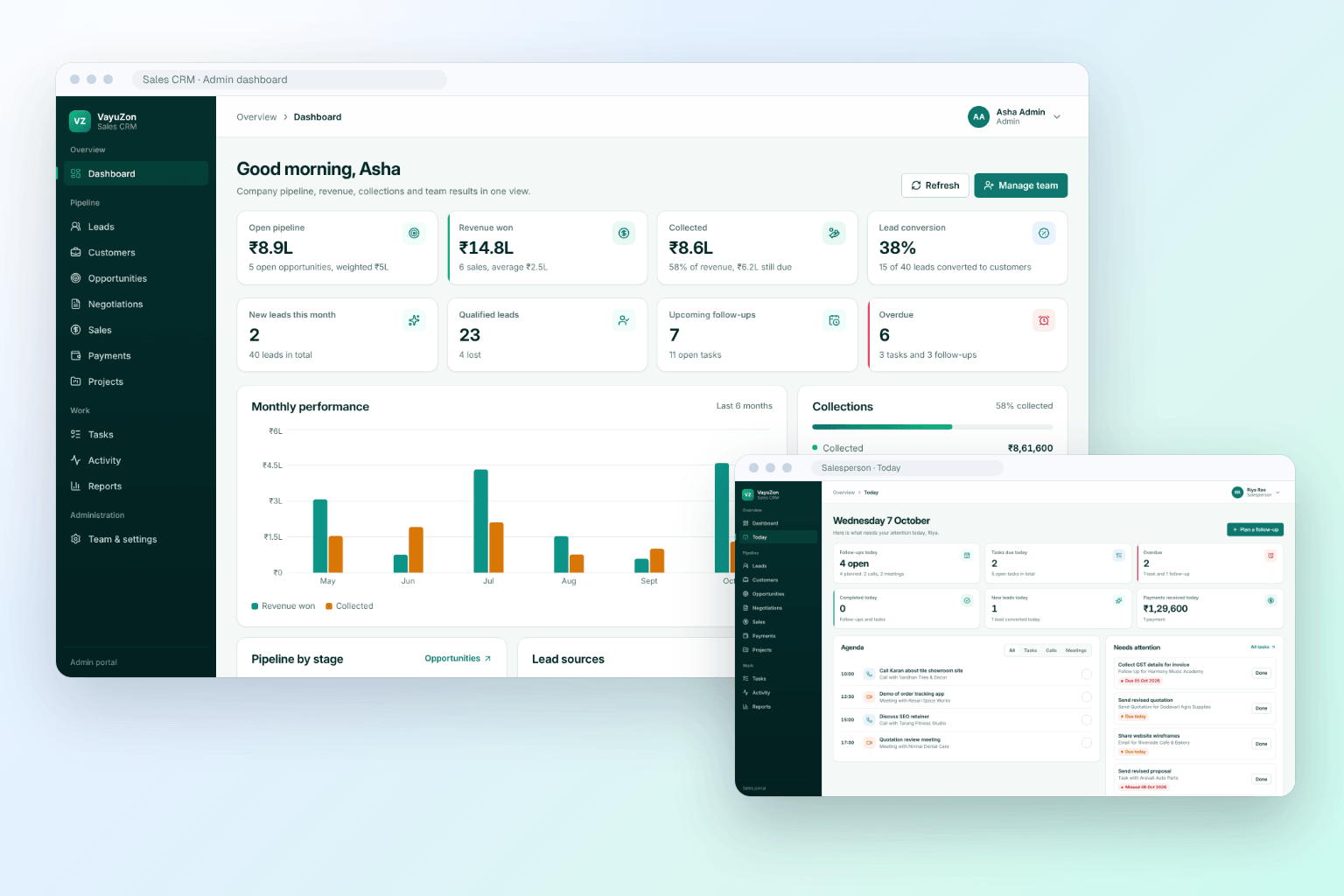
- Admin and salesperson dashboards for revenue, collections and team performance
GALLERY
Product Interface
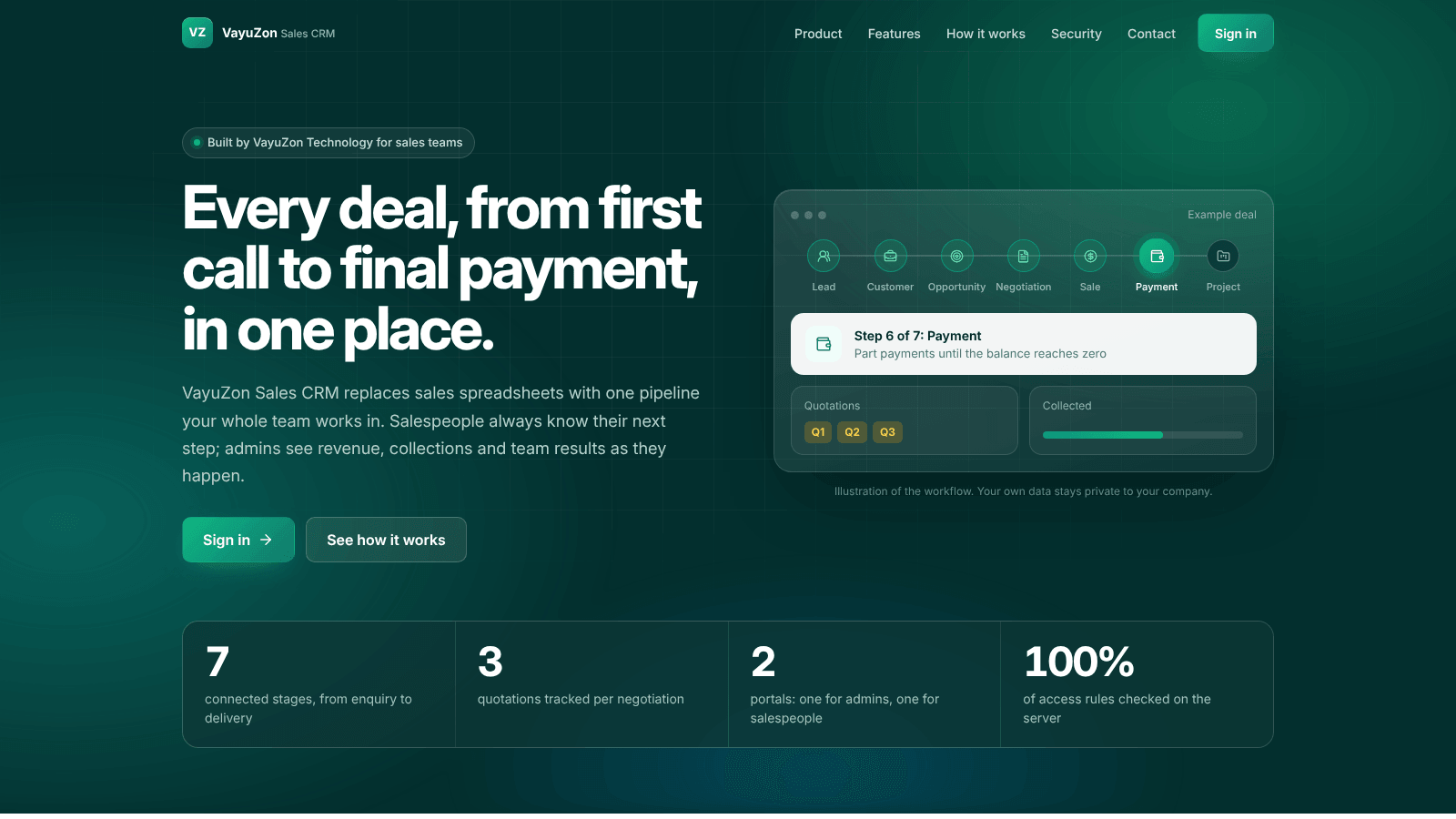
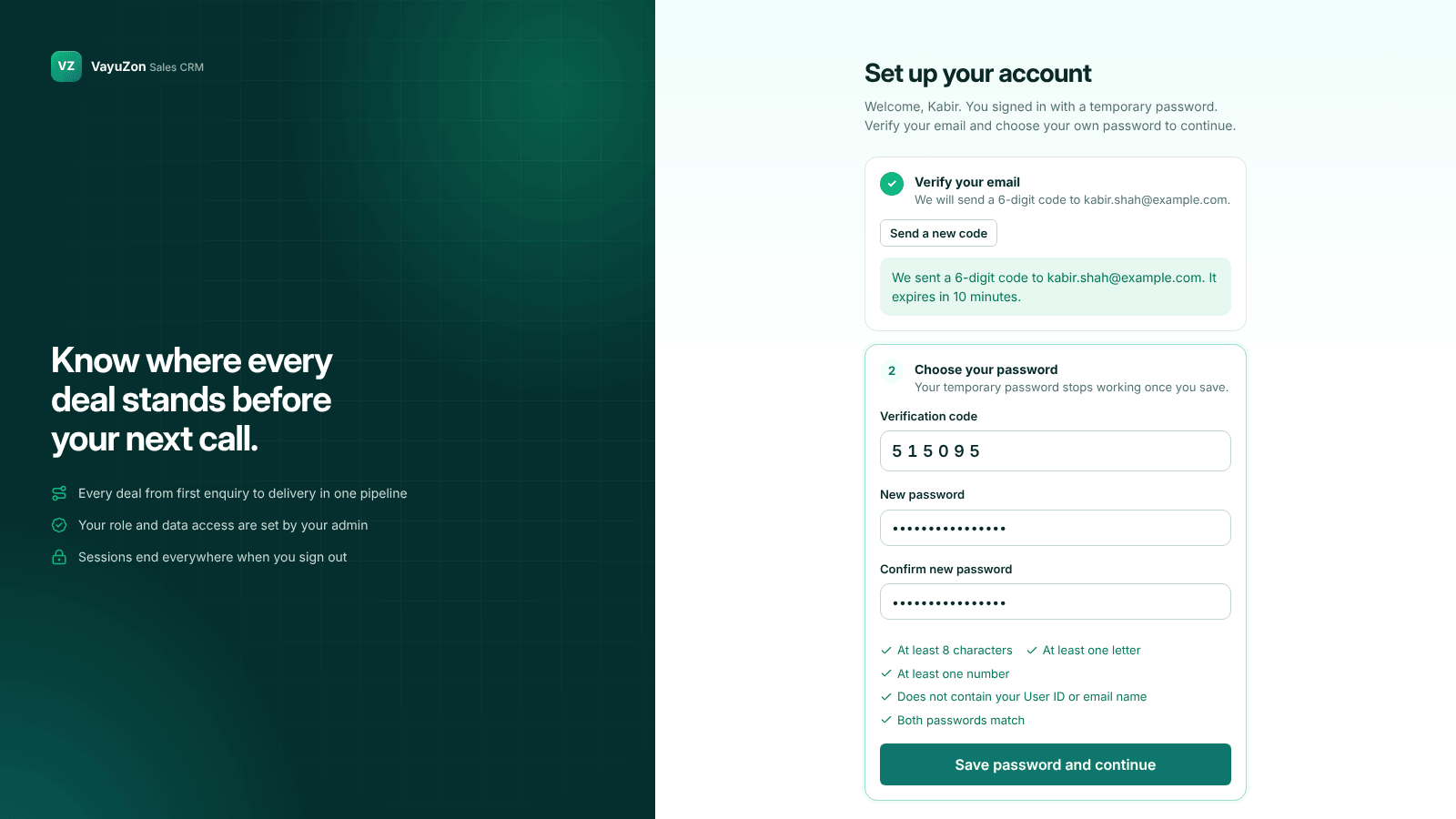
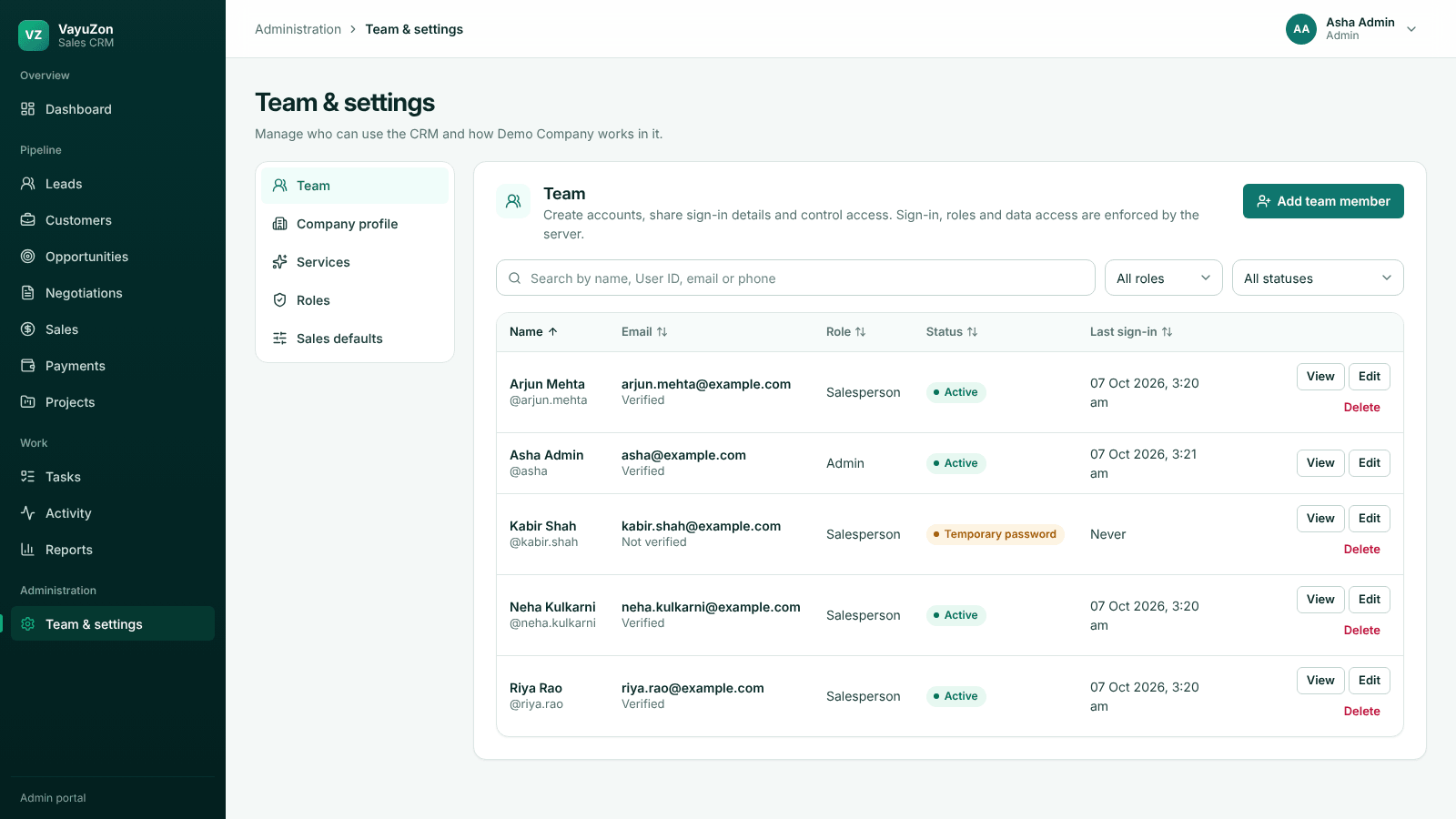
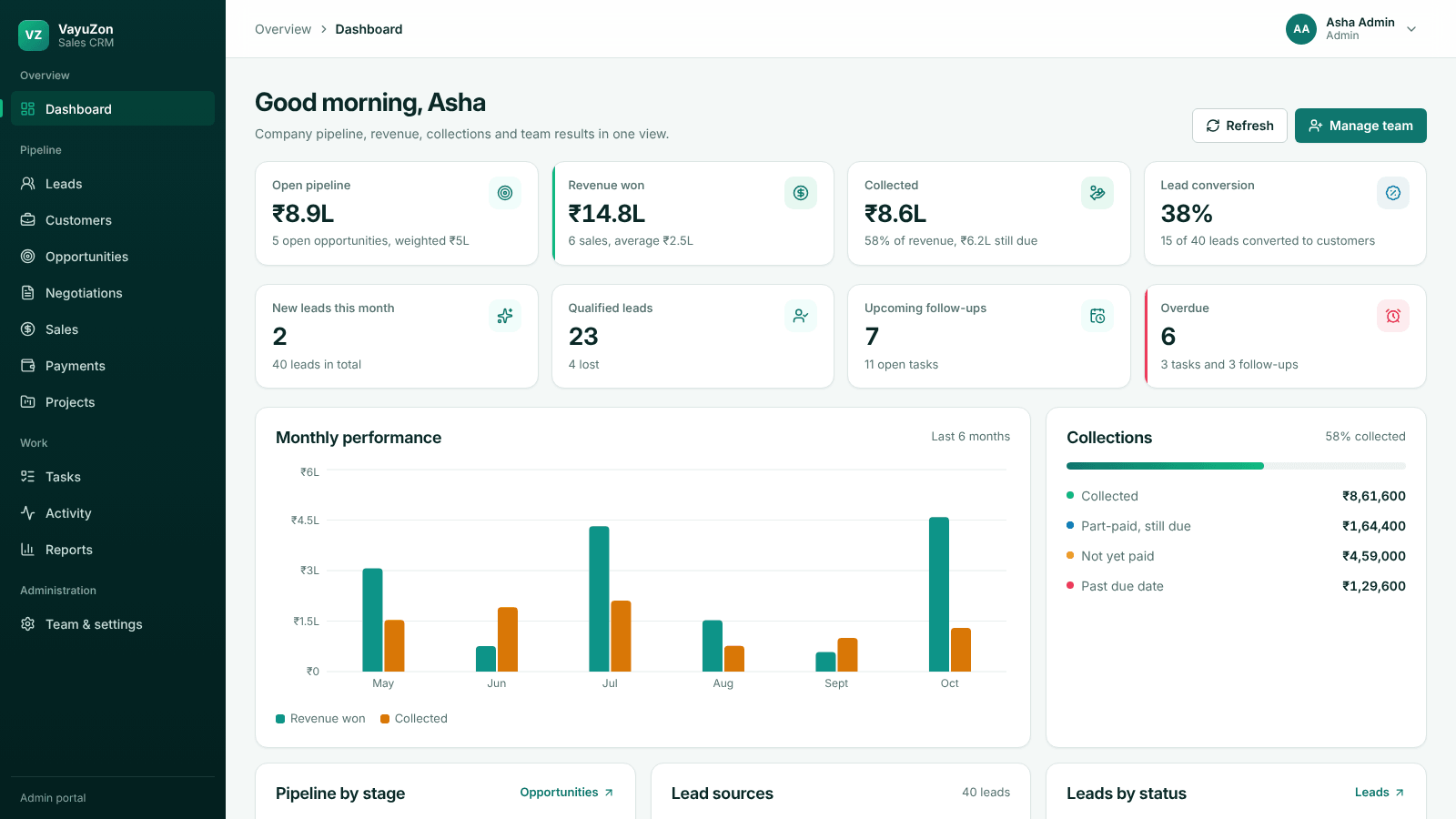
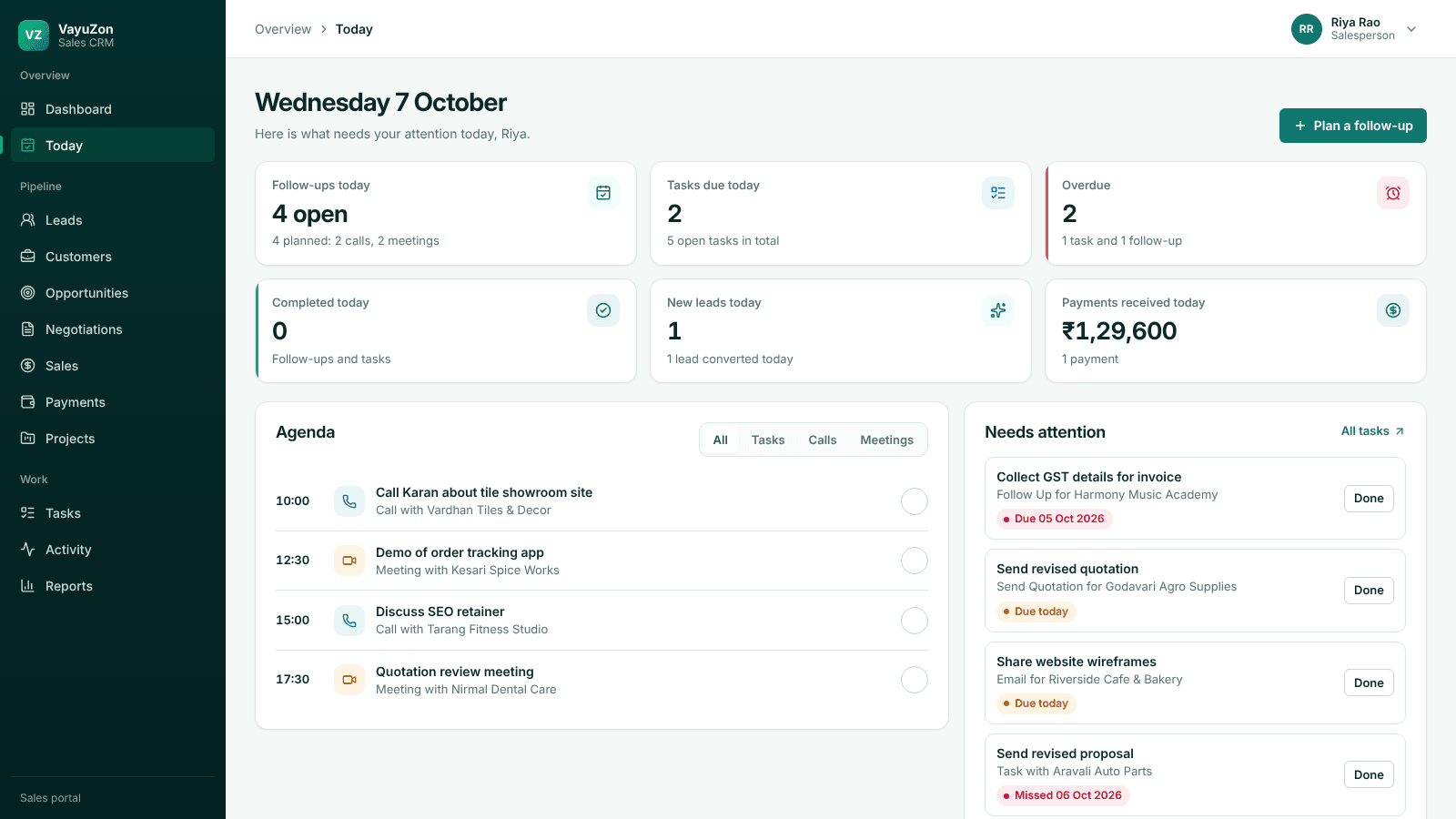
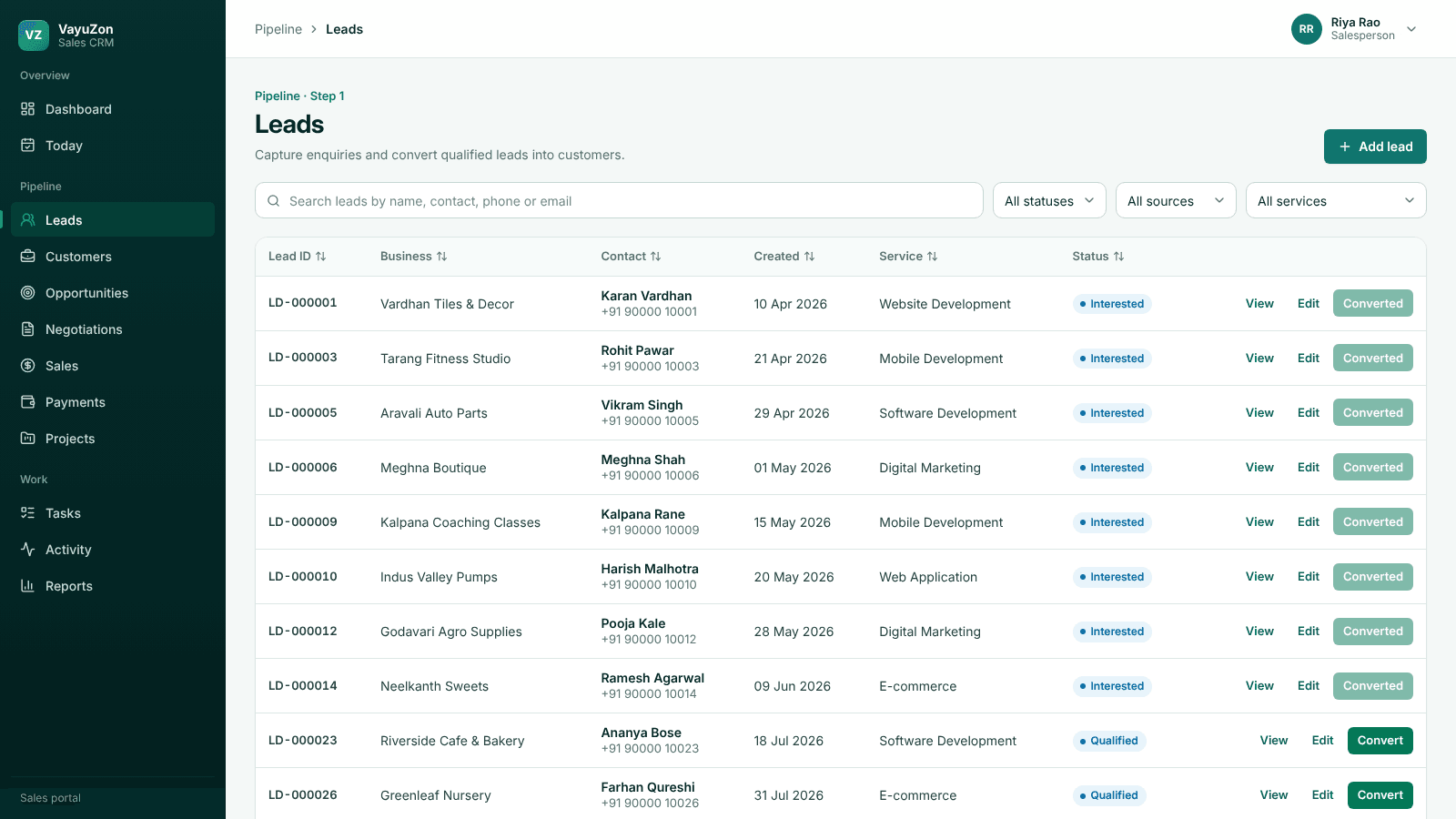
A clean look at the core Sales CRM screens across the public site and both portals. All screens show sample data.
AUDIENCE
Who It Is For
Designed for the whole sales team, from salespeople on calls to the owners tracking revenue.
For Sales Teams
- Today plan with calls, meetings and overdue follow-ups
- Own leads, customers and pipeline
- Tasks with priorities and due dates
- Convert qualified leads in one step
For Sales Managers and Admins
- Company dashboard with revenue and collections
- Team performance by salesperson
- Assign leads and tasks
- Create accounts, reset passwords, deactivate access
For Business Owners
- Open pipeline and win rate at a glance
- Collected, part-paid and overdue amounts
- Date-range reports
- Complete activity history of every change
FEATURES
Built-In Controls
Built for sales teams that need clear ownership, secure access and numbers they can trust.
Admin-issued accounts
No open sign-up; admins create every account.
Verified first sign-in
A temporary password must be replaced after a 6-digit email code.
Roles enforced by the server
Nobody picks a role; every request is checked.
Company data isolation
Each company's records stay separate; salespeople see only their own.
Complete activity history
Every lead, stage change, payment and task with who and when.
Protected sessions
HttpOnly cookies, sign-out on every device, lockout after repeated failures.
Payment safeguards
Paid, partial and pending status, remaining balance, overpayment blocked.
Quotation locking
The latest quotation becomes the sale amount and quotations are locked once converted.
WORKFLOW
From Enquiry to Delivery
Seven connected stages. Salespeople move a record to the next stage in one step, and admins see every stage across the company.
- 01
Lead
Enquiry captured with source, service and budget
- 02
Customer
Qualified lead converted in one step
- 03
Opportunity
Stage and value tracked
- 04
Negotiation
Up to three quotations
- 05
Sale
Latest quotation becomes the sale amount
- 06
Payment
Part or full payments with balance
- 07
Project
Delivery status after the sale
FAQ
Frequently Asked Questions
What problems does Sales CRM solve?
Sales CRM replaces spreadsheet tracking with one connected pipeline, a daily plan for each salesperson, and live revenue and collection numbers for admins.
Who can create accounts?
Only admins. There is no open sign-up; each person gets a temporary password and must verify their email with a 6-digit code and set their own password on first sign-in.
How do quotations and sales work?
A negotiation holds up to three quotations. When it is converted to a sale, the latest quotation becomes the sale amount and the quotations are locked.
How are payments tracked?
Part or full payments are recorded against a sale. Payment status, remaining balance and overdue amounts are calculated automatically, and overpaying is blocked.
Can managers see what each salesperson is doing?
Yes. Admins see company dashboards, a team-performance table and a searchable activity timeline. Salespeople see only their own records.
Is our data kept separate from other companies?
Yes. Every record belongs to a company, and the server only returns your company's data.
Can you migrate our existing sheets and what support is available?
Migration can be planned from existing spreadsheets during onboarding, along with workflow setup, team training and ongoing support.
Ready to bring your sales pipeline into one place?
Book a demo to see how Sales CRM can fit your sales process.
Why teams choose it
- Role-based access for admins and salespeople, checked on every request.
- Built to keep every lead, follow-up and payment organized.
- Fast setup with clear support from the Sales CRM team.
MORE FROM VAYUZON