
 n
nPaperless Office: A Complete Guide to Digital Transformation
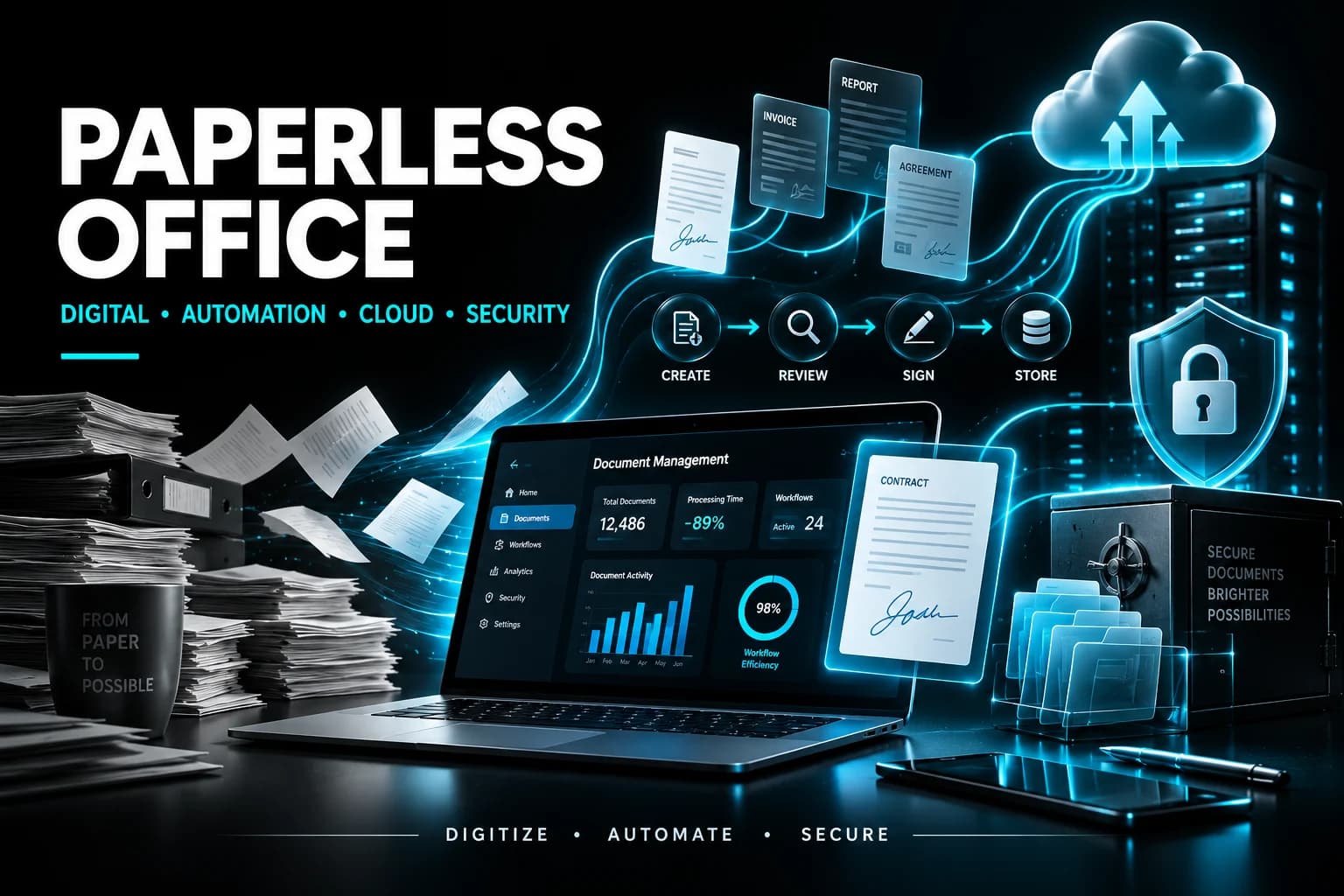
A paperless office is one of the most practical starting points for digital transformation. By replacing paper-based workflows with secure digital systems, businesses can improve efficiency, reduce document-related delays, strengthen compliance, and create a foundation for broader technology improvements.
Introduction
You’ve seen the filing cabinet in the corner that nobody opens. You’ve watched an invoice get printed, signed, scanned back in and emailed three times, by three people. You know there’s a better way to run your business. But every “digital transformation” article online reads as if it were written for a large enterprise with a large budget, not a 40-person accounting firm or a startup trying to stay lean.
This digital transformation guide is different. It walks you through going paperless. By the end, you’ll know what to stop doing, what to buy, what to migrate and where to get help when it stops being fun.
Key Takeaways
Going paperless is the most tangible first phase of digital transformation for SMBs. It produces real-time savings, a cleaner compliance posture and a foundation on which the rest of your technology roadmap can sit.
A paperless office runs on five tool categories: document management, cloud storage, e-signatures, workflow automation and a security and compliance layer.
Budget ₹12.90 lakh to ₹64.48 lakh in the first year for a 25- to 75-person SMB, plus ₹1,032 to ₹4,900 per user per month for licensing. Phased rollouts can run three to six months with an experienced partner versus eight to 12 months going it alone.
1. Why a Paperless Office Matters for Digital Transformation
A paperless office is a workplace where documents, approvals, signatures and records live in secure digital systems rather than in filing cabinets and paper trays. It matters because going paperless is the most tangible first phase of digital transformation for most small and mid-size businesses. This is the piece that delivers measurable time savings, a cleaner compliance posture and a foundation for the rest of your technology roadmap.
The companies that try to “digitally transform” by rolling out multiple new platforms at once tend to stall. The companies that start by eliminating paper-based workflows tend to keep going.
Paper is where the waste hides, with the reprinting, the re-signing, the filing and the “I know I saw that contract somewhere” hunts.
2. The 7-Step Digital Transformation Guide
Going paperless follows a repeatable sequence: audit your current paper workflows, pick a document management platform, digitize your backlog, set up e-signatures, automate high-volume approvals, train your team and lock down security and compliance. Most SMBs work through this process in three to six months when they have a partner, or eight to 12 months when they go it alone.
Step 1: Audit Where Paper Still Lives in Your Business Before you buy any software, spend two weeks tracking where paper actually moves through your business. Look at invoices, contracts, HR forms, client onboarding packets, expense reports, shipping paperwork and signed agreements. Write down who touches each paperwork type, how long processing takes and what breaks when something gets lost.
Most SMBs are surprised by the answer. Accounting firms may find their bottleneck in collecting client tax documents. Startups may find it in compliance sign-offs. Manufacturers may find it in work orders and quality documentation. The audit isn’t glamorous but it sets every other decision you’ll make.
Step 2: Choose the Right Document Management Backbone Your document management platform is the single most important decision in this whole guide. Choose a backbone that integrates with the tools you already use and can support your document, workflow and compliance requirements.
Questions to ask: - Does the backbone integrate with the tools you already use? - Can it enforce retention policies? - Can it handle your compliance requirements without custom work? - Can it grow from 20 users to 200 without re-architecting?
Step 3: Digitize Your Backlog You don’t need to scan every document you own. Trying to digitize 30 years of paper records is how paperless projects die. Instead, apply a simple rule: Digitize what you’ve touched in the last 24 months and anything you’re legally required to retain. Everything else gets archived as-is or shredded on a legal hold schedule.
High-volume scanning can be done in-house with a production scanner or outsourced to a scanning bureau. Expect ₹6.02 to ₹21.49 per page for outsourced scanning with OCR, depending on complexity and volume. A 10,000-document backlog at an average of five pages per document lands somewhere between ₹3.01 lakh and ₹10.75 lakh.
Step 4: Replace Signatures With E-Signatures E-signatures are the fastest ROI move in the whole paperless office playbook. Platforms that support e-signatures let you send, sign and return a contract in minutes instead of days. Electronic signatures are legally recognized in many jurisdictions, although specific requirements vary by country and document type.
Start with your highest-volume documents, such as client engagement letters, NDAs, employment paperwork and vendor agreements. Most SMBs can significantly reduce signature turnaround time when digital signing becomes part of the normal workflow.
Step 5: Automate Your High-Volume Approval Workflows Once documents are digital, you can start replacing manual hand-offs with automated workflows. Workflow automation tools let you build approval chains, routing rules and status notifications without writing code. An expense report submitted at 4 p.m. on a Friday no longer waits until Monday morning for someone to find it on their desk.
Pick one workflow to start. Accounts payable and new-hire onboarding are two high-leverage places to begin.
Step 6: Train Your Team Like the Rollout Depends On It A paperless initiative is doomed when you roll out new software without training. People go back to the printer because that’s what they know. Budget at least a half-day of hands-on training per role, plus a written playbook for each new workflow and a named internal champion who owns adoption.
A practical approach is to run a pilot with five to 10 users first, capture their feedback, refine the workflow and then roll it out to the full organization. Phased rollouts usually land better than big-bang launches.
Step 7: Lock Down Security, Compliance and Retention A paperless office isn’t just faster; it’s more secure when it’s set up correctly. Digital documents can be encrypted, access-controlled, version-tracked and audit-logged in ways paper never could. But that only happens if you configure it correctly. A poorly configured digital document environment can become a liability rather than an upgrade.
Configure retention policies, data loss prevention rules, multi-factor authentication, role-based access and compliance reporting according to the organization’s specific regulatory environment. Different regulations bring their own requirements, and the right configuration depends on yours.
3. Tools Every Paperless Office Needs
A functional paperless office needs five core tool categories: a document management platform, cloud storage, an e-signature solution, a workflow automation tool and a security and compliance layer.
Outside an integrated productivity stack, common building blocks include dedicated document management systems for heavier document needs, specialized cloud storage for industry-specific requirements, and standalone e-signature solutions for companies that need them separately.
The point isn’t which tool; it’s that these five jobs are getting done.
4. The Cost to Go Paperless
A typical 25- to 75-person SMB going paperless should budget ₹12.90 lakh to ₹64.48 lakh in year-one costs, spread across licensing, scanning, implementation and training, plus ongoing monthly per-user fees of ₹1,032 to ₹4,900 per user depending on the software tier. A 150- to 500-person mid-market company usually lands between ₹42.98 lakh and ₹2.15 crore in year one.
Here’s a rough breakdown:
- Software licensing: ₹1,032 to ₹4,900 per user per month, plus optional add-ons
- Backlog scanning: ₹3.01 lakh to ₹21.49 lakh, depending on volume
- Implementation and configuration: ₹6.88 lakh to ₹34.39 lakh for a proper document-management and workflow setup
- Training and change management: ₹2.15 lakh to ₹12.90 lakh
- Ongoing managed services: ₹6,448 to ₹17,193 per user per month if you work with an external managed service provider
The total can come in well under what many SMBs spend on paper, printing, toner, filing storage, off-site archives and lost-document labor over a three-year window.
5. The Biggest Mistakes Businesses Make When Going Paperless
The three biggest mistakes in paperless office projects are trying to digitize everything at once, treating them as IT projects rather than business process projects, and skipping security and compliance configuration because “we can fix it later.” Each one can quietly add months to the timeline and significantly increase costs.
The fix for all three is sequencing. Start with one high-volume workflow. Get the business-side process owner in the room. Configure security from day one, not day 180. Paperless offices that run well are the ones that were built to run well from the start.
6. Security and Compliance
A paperless office can improve security when digital documents are properly protected. Encryption, access controls, version tracking, audit logs, retention policies, data loss prevention, multi-factor authentication and role-based access can provide controls that are difficult to achieve with paper records.
Security and compliance should be designed into the digital workflow from the beginning rather than added after implementation.
Organizations should configure their document and workflow systems according to the regulations that apply to their industry and location.
7. Measuring the Benefits of Going Paperless
The value of a paperless office should be measured through practical business outcomes rather than simply counting how many documents were digitized.
Useful measurements include document-processing time, approval turnaround time, signature completion time, search time, printing and storage costs, workflow errors, compliance issues and employee adoption.
Tracking these measurements before and after implementation helps businesses determine whether the digital transformation is actually improving efficiency.
8. Phased Digital Transformation
A phased approach reduces disruption and makes it easier for teams to adapt to new digital workflows.
Start with one high-volume process, test the workflow with a small group, collect feedback, refine the process and then expand it across the organization.
This approach allows businesses to identify workflow problems early while avoiding the risks associated with replacing every process at the same time.
9. Building a Sustainable Paperless Office
Going paperless is not a one-time technology project. It is an ongoing change in how an organization manages information, approvals, signatures and records.
Businesses should regularly review workflows, access permissions, retention policies, security controls, software usage and employee adoption.
The goal is not simply to remove paper. The goal is to build a business environment where information is easier to access, processes are faster, security is stronger and digital workflows continue to improve over time.
Conclusion
A paperless office is one of the most practical starting points for digital transformation. By replacing manual paper-based processes with secure digital workflows, businesses can reduce wasted time, improve document accessibility and create a stronger foundation for future technology initiatives.
The most effective approach is to start small: audit existing workflows, choose the right document-management foundation, digitize important records, introduce e-signatures, automate approvals, train employees and establish security and compliance controls.
Going paperless is not about buying more software. It is about creating simpler, faster and more reliable ways of working. Businesses that approach the transition strategically can build a digital workplace that is easier to manage today and ready to scale tomorrow.